Configuring Your DNS for MailChannels Email Delivery

If you're using MailChannels for email delivery, it's important to configure your SPF and TXT records correctly to ensure smooth email authentication and prevent delivery issues. This guide will walk you through updating your DNS settings for MailChannels.
What Are SPF and TXT Records?
- SPF Record: Helps prevent email spoofing by specifying which mail servers are allowed to send emails on your domain's behalf.
- TXT Record: A flexible DNS record used for various purposes, including email validation and verification.
For MailChannels, you'll need to update your SPF record and add a new TXT record.
Updating the SPF Record
-
Locate your existing SPF record in your DNS settings. It will start with something like:
v=spf1 - Add the following to your existing SPF record:
include:relay.mailchannels.net
- Do not remove any existing entries unless specifically instructed.
Example before update:"v=spf1 +a +mx +ip4:192.168.1.1 include:example.com ~all"Example after update:
"v=spf1 +a +mx +ip4:192.168.1.1 include:example.com include:relay.mailchannels.net ~all" - Save the updated SPF record.
Adding the TXT Record
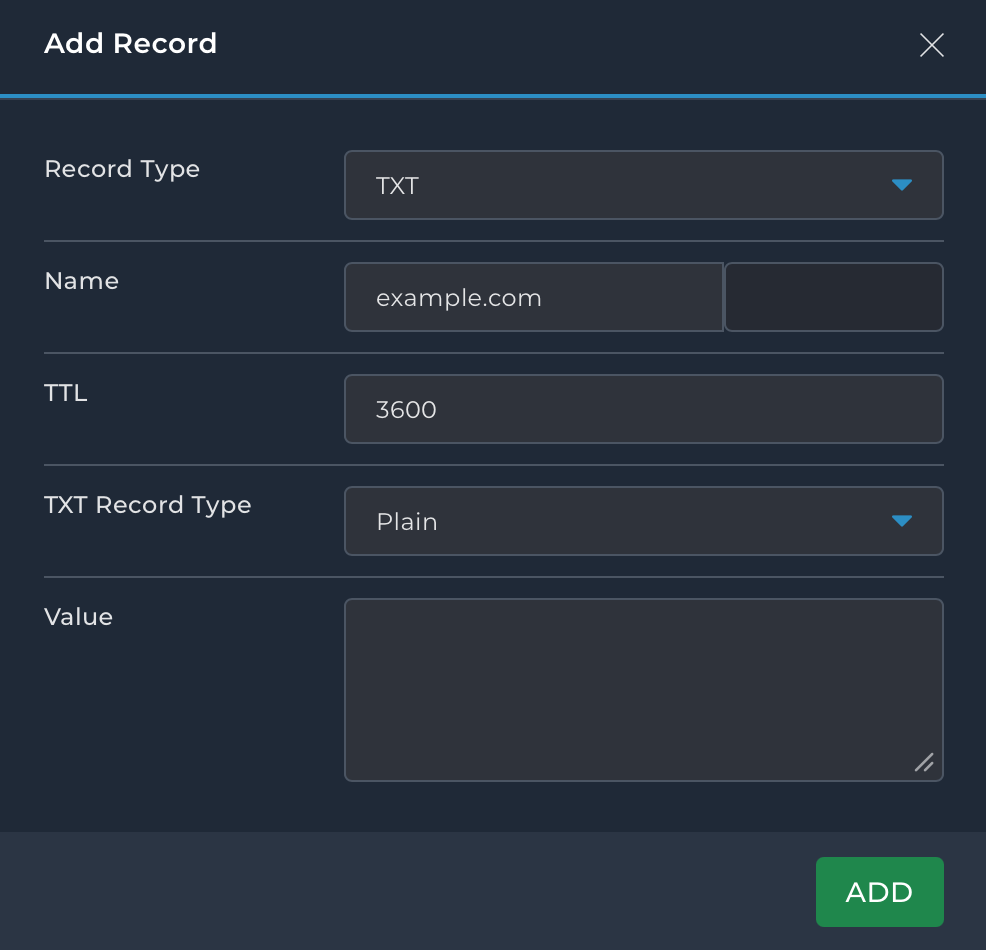
In addition to updating your SPF record, you'll need to add the following TXT record:
- Record Name:
_mailchannels.domain.com - Record Value:
v=mc1 auth=yourhost
Replace
example.comwith your actual domain name.
Updating DNS Records
To update your DNS records, follow the steps below based on your domain registrar or DNS provider.
General Steps for Updating SPF and TXT Records
- Log in to your domain registrar or DNS provider.
- Navigate to DNS settings.
- Locate your existing SPF record (TXT record).
- Edit the record and add
include:relay.mailchannels.netto the SPF entry. - Save the changes.
- Add a new TXT record with the name
_mailchannels.domain.comand the valuev=mc1 auth=yourhost. - Save the new record.
Properly updating your DNS records ensures that your email is authenticated correctly and improves email deliverability when using MailChannels.
Be sure to verify your DNS changes have propagated, as it may take some time for updates to take effect.
Next: check the records are right with How to Configure SPF, DKIM and DMARC Records.