How to Change File Permissions in cPanel

This article will show you how to change file permissions in cPanel.
1. Understand What Permissions Do
Every file and folder controls who can read, write and execute it. Getting this wrong causes either a 403 error, because the server cannot read the file, or a security hole, because anyone can write to it.
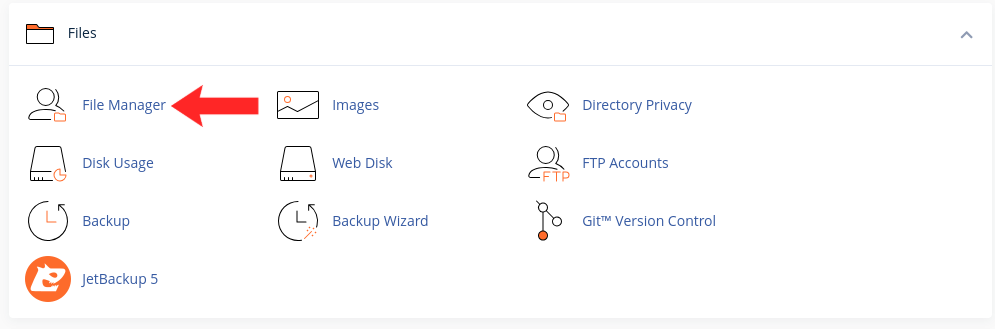
2. Open File Manager
Find it in the Files section of cPanel.
3. Select the File or Folder
Click the item you want to change. You can select several at once.
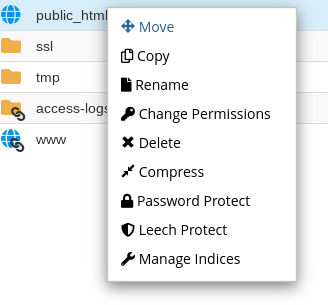
4. Open Change Permissions
Right-click and choose Change Permissions, or use the toolbar button.
5. Set the Right Values
Files should normally be 644 and folders 755. Scripts that need to run may need 755. Never set anything to 777: it lets anyone write to the file, and many servers reject it outright with a 500 error.
6. Apply and Test
Save, then load the affected page. If a 403 error clears, permissions were the cause.
Next: if the error persists, How to Fix a 403 Forbidden Error covers the other causes.