How to Convert to User-Friendly URLs Using .htaccess

This article will show you how to convert to user-friendly URLs using .htaccess.
1. Log in to your Control Panel or FTP
Access your website's control panel or use an FTP client to manage files.
2. Open the File Manager or Connect via FTP
Navigate to the "File Manager" section in your control panel or establish an FTP connection.
3. Locate the public_html Directory
Go to your website's main directory.
4. Edit or Create the .htaccess File
Open the existing .htaccess file or create a new one if it doesn't exist.
5. Add the Rewrite Code
Insert the following code to enable user-friendly URLs:
# Enable mod_rewrite
RewriteEngine On

# Rewrite rule to convert URLs
RewriteRule ^your-friendly-url$ your-script.php [L]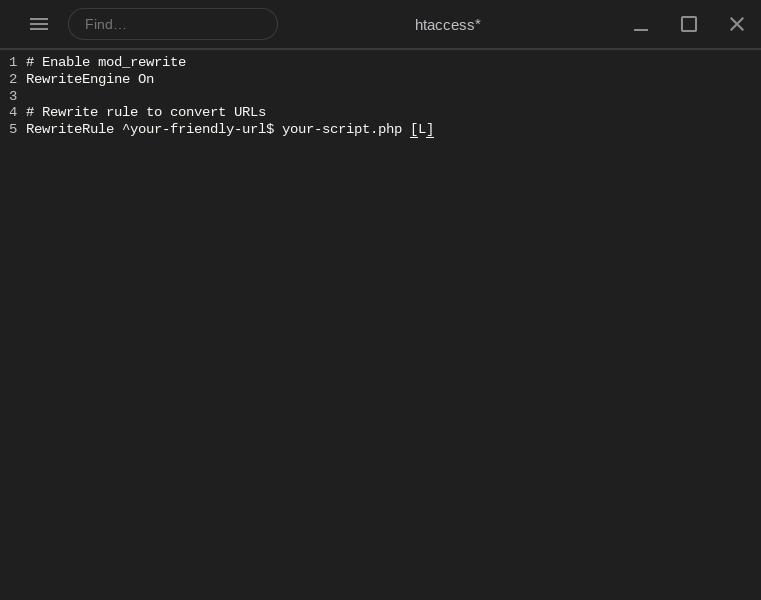
Replace your-friendly-url with the desired user-friendly URL path.
Replace your-script.php with the actual file or resource to load.
6. Save the File
Save the .htaccess file and test your user-friendly URL in a browser.
Your website URLs are now more readable and easier for users to navigate.
Next: How to Control Browser Caching with .htaccess covers another .htaccess change worth making at the same time.