How to Log In to the Blesta Client Area
This article will show you how to log in to the Blesta Client Area.
1. Navigate to the Client Area
Open your browser and go to our client area URL.

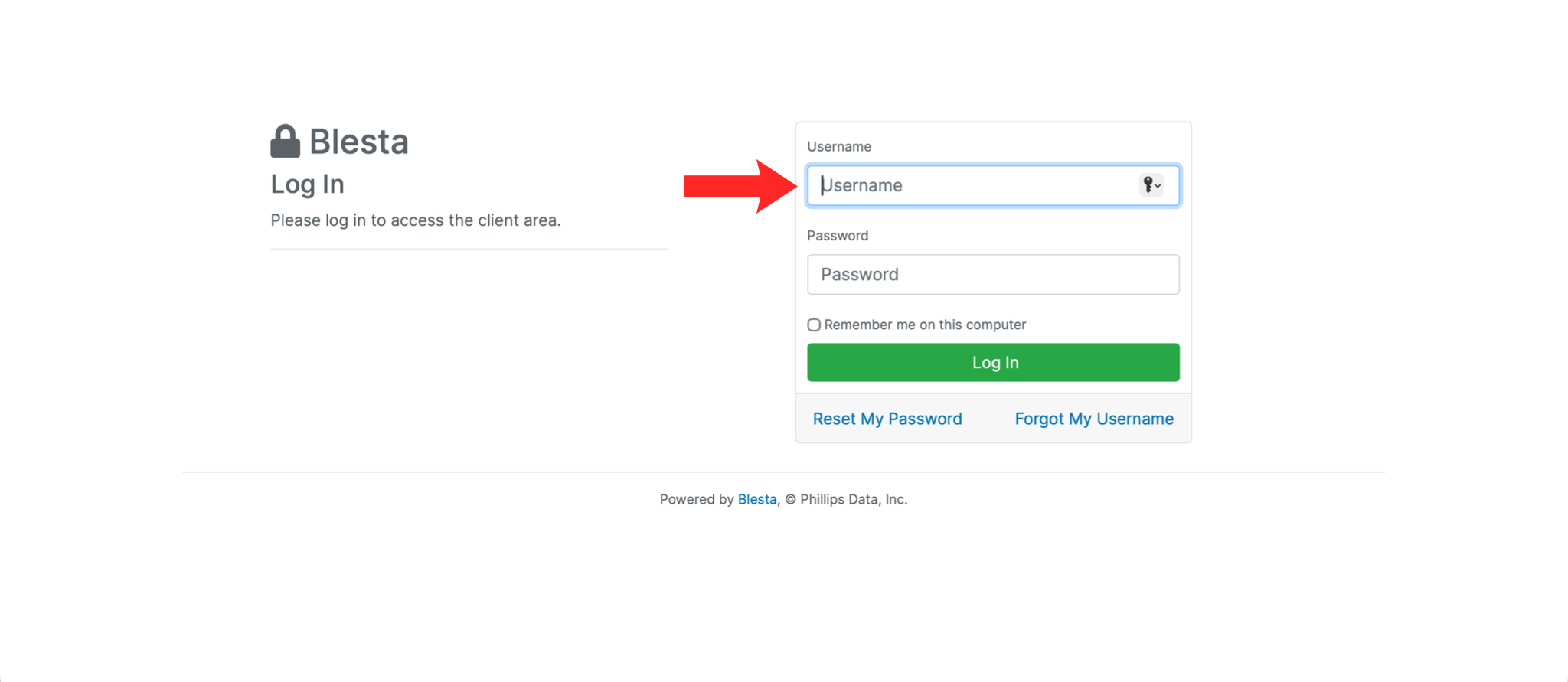
2. Enter Your Username/Email Address
Enter the username or email address associated with your account in the Username field.
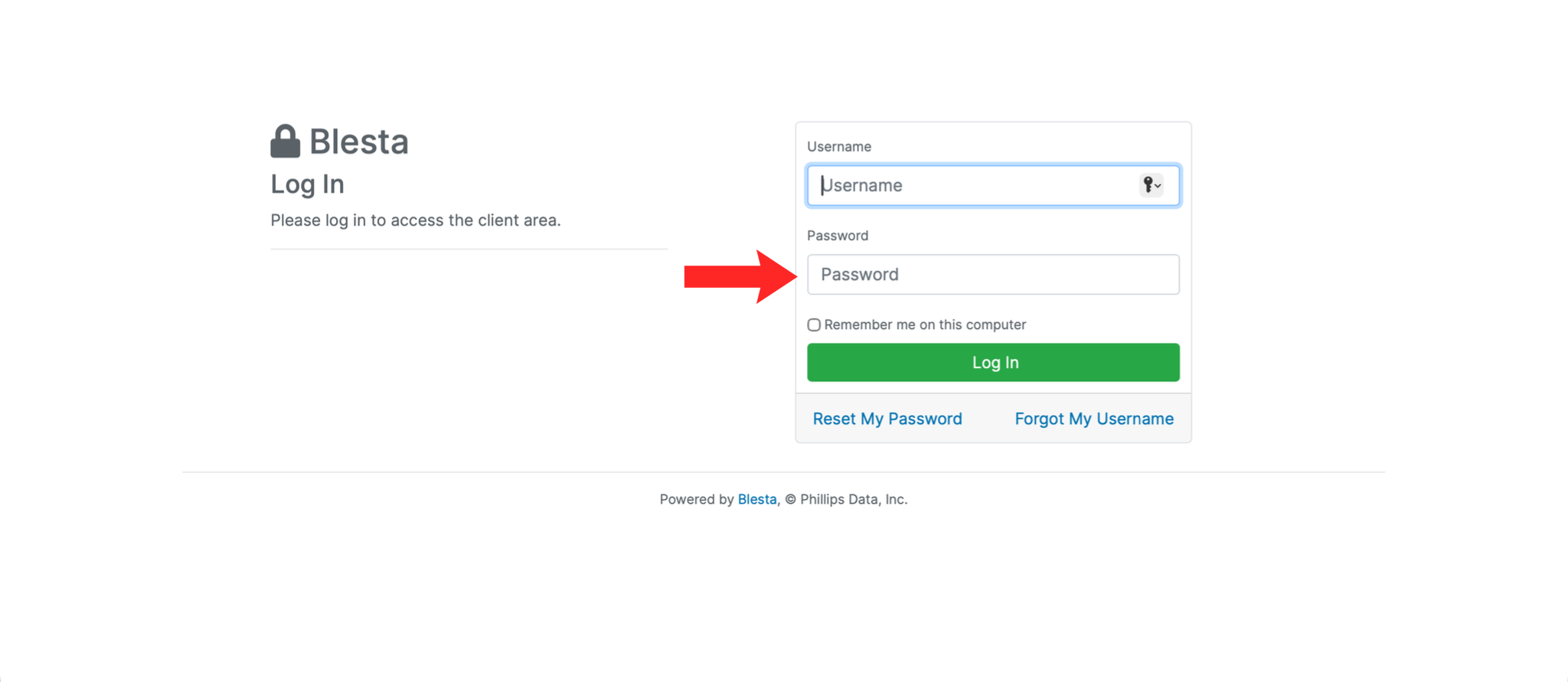
3. Enter Your Password
Enter your password in the Password field.
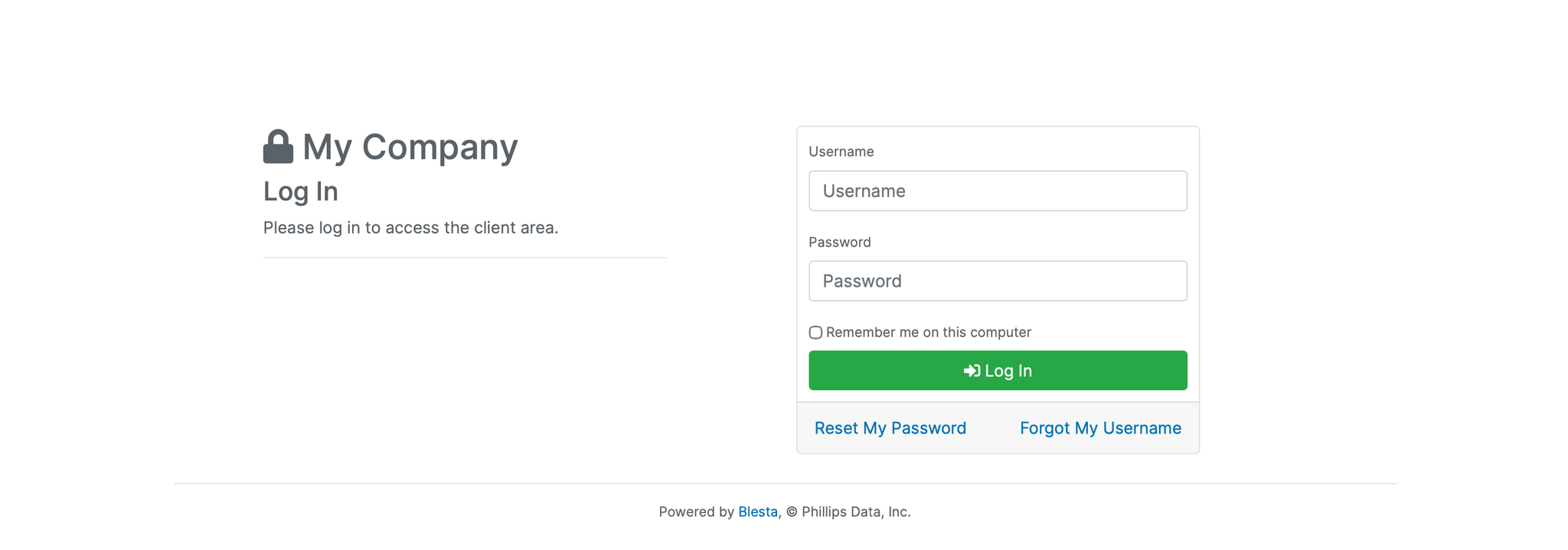
4. Click Log In
Click the Log In button to access your client area dashboard.
Next: How to View Your Active Services in Blesta shows what is on your account.