How to View Your Email History in Blesta

This article will show you how to view your email history in Blesta.
Your email history holds every message sent to you from your account, which is useful if an invoice or welcome email never arrived in your inbox.
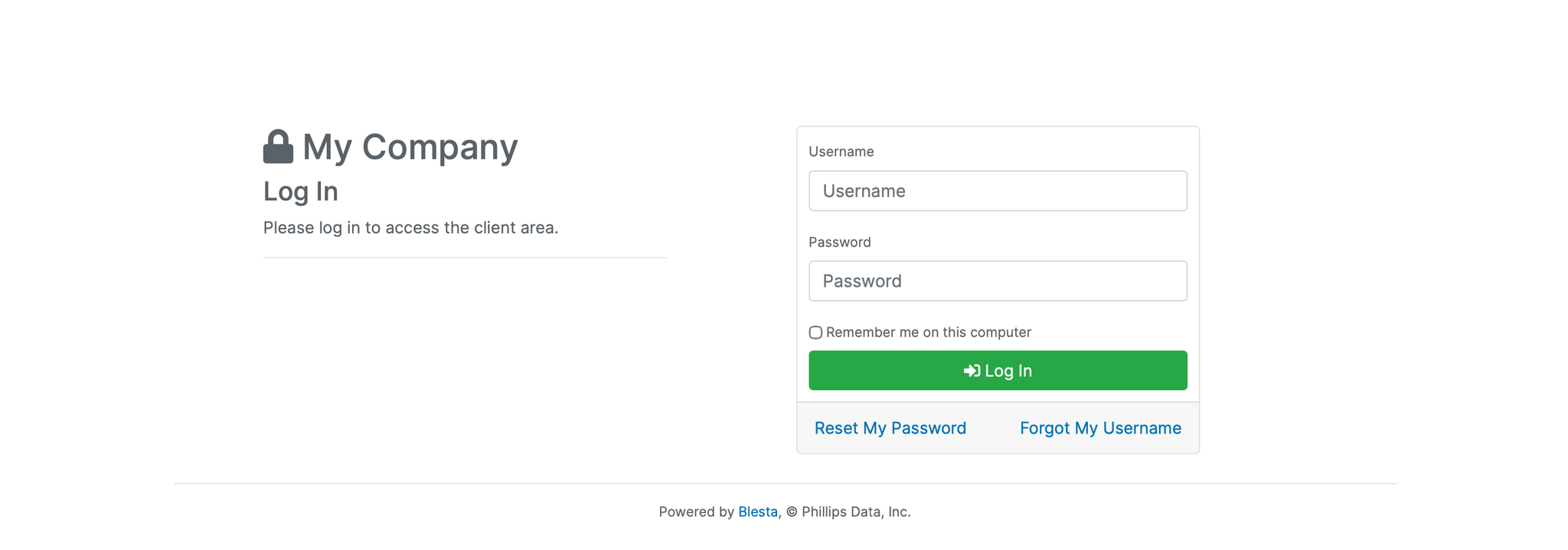
1. Log in to the Blesta Client Area
Use your credentials to log in to your Blesta client area.
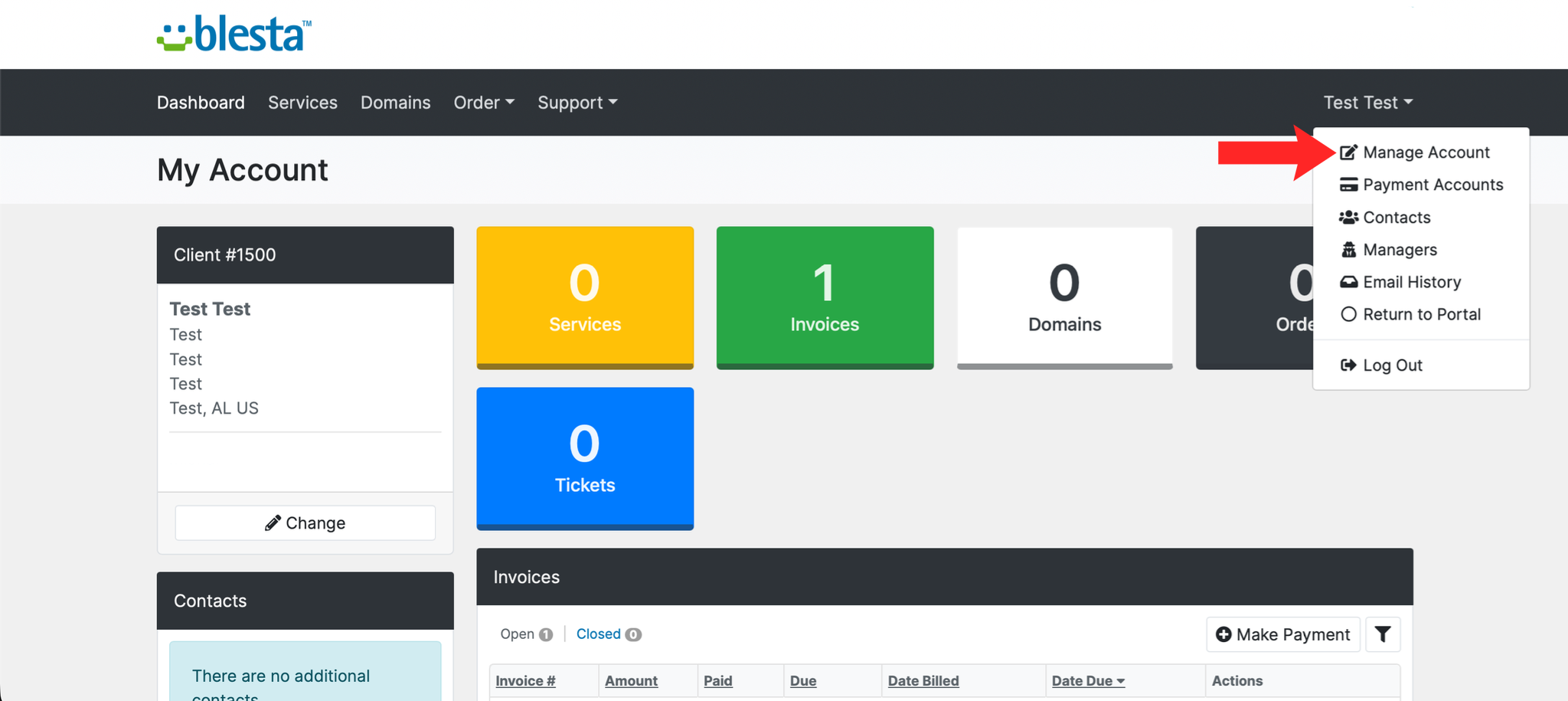
2. Open Your Account Menu
Click your name in the top right corner to open the account menu.
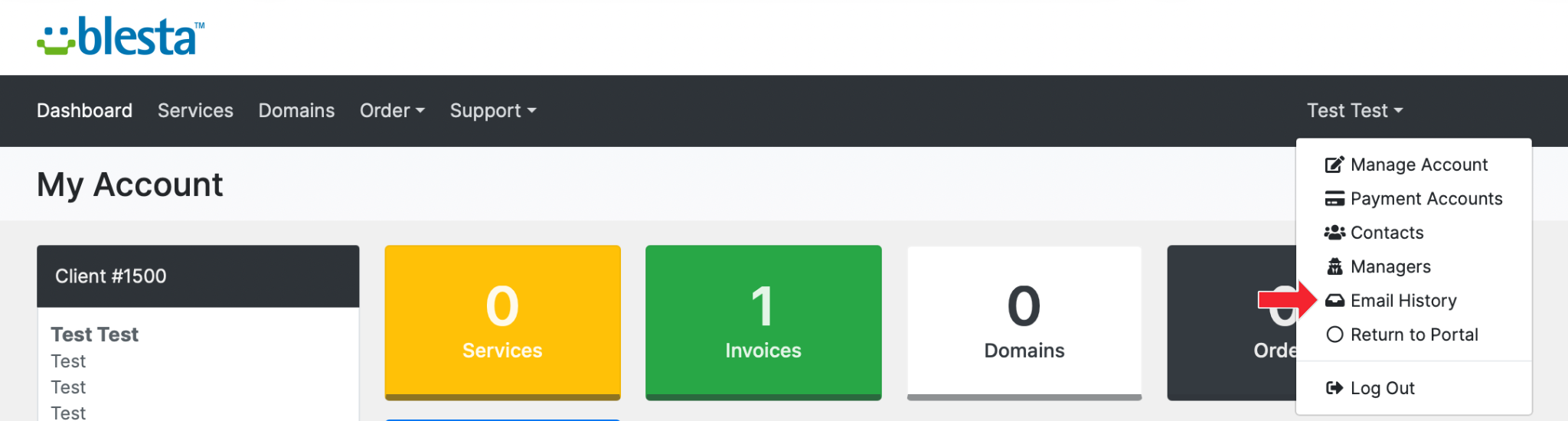
3. Select Email History
Choose Email History to see the messages sent to your account, listed newest first.
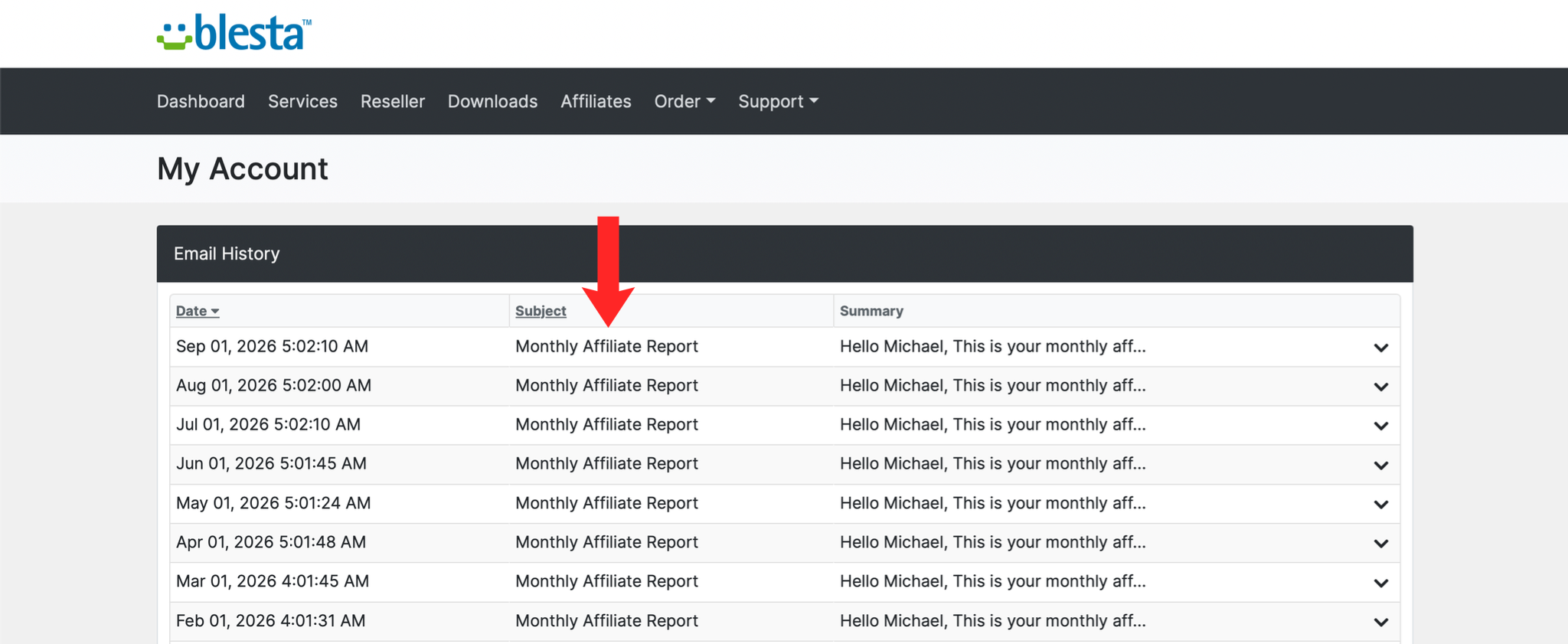
4. Open an Email
Click any entry to read the message exactly as it was sent, including invoices and account notifications.
Next: How to Manage Notification Preferences in Blesta controls which of those messages you receive.